
Building with
DeepSeek Harness
Building an AI Token Cost Calculator and exploring the token usage, caching and development process behind it.
DeepSeek Harness gives an AI model tools to inspect a project, edit files and run development commands. I used it to build a working calculator, then analysed the session records to understand how it used those resources.
Explore the calculatorAlmost all input came from cache
Across the recorded build phase, 98.97% of input tokens were cache reads. Previously processed context was reused across requests, rather than treated as entirely new input each time.
This made caching the most interesting part of the session to investigate: a large token total could carry a much smaller value when most of the input was reused.
- Cumulative tokens
- 30.43m
- Elapsed build phase
- 44m 31s
- Model steps
- 162
Where the tokens went
Tokens are the small pieces of text processed by an AI model. The session records separate them into new input, cached input and generated output.
| Token category | Tokens | Share of total |
|---|---|---|
| Cached inputPreviously processed context | 29,874,688 | 98.18% |
| New inputInput processed without a cache read | 311,762 | 1.02% |
| OutputText generated by the model | 242,325 | 0.80% |
What does that usage represent?
I used a subscription allowance through OpenCode Go. To explore the effect of caching, I applied the model rates recorded in the project to the session’s token counts.
That gives a token-rate valuation of approximately US$0.28 with caching, compared with US$4.67 if the cached input had been charged at the new-input rate. Output is held constant in both scenarios.
The comparison shows why the type of token matters as much as the total. A high cache-hit rate can substantially reduce a rate-based estimate.
A calculator for exploring AI costs
I wanted a clearer way to compare AI model pricing and see how changes in usage affect the result. The calculator separates new input, cached input and output, making the different charges easier to understand.
Visitors can choose a model, enter token usage and adjust rates. The results show the cost breakdown and the effect of caching, with peak and off-peak comparisons where the pricing data supports them.
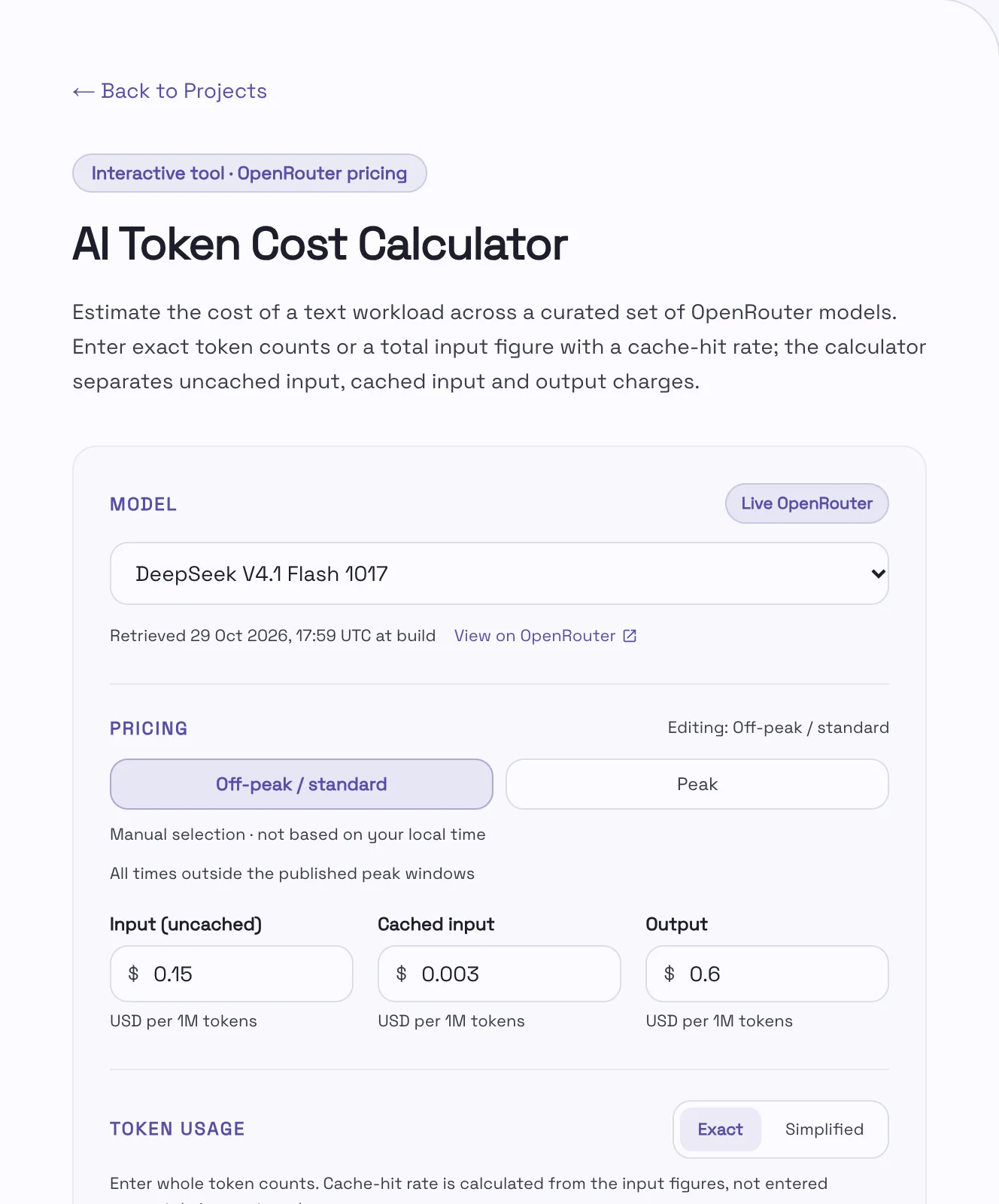
Pricing captured when the site is built
The project uses Astro, a framework for building websites, with TypeScript for the calculator logic. Model pricing is retrieved from OpenRouter during the website build and included in the published page.
Calculations run in the visitor’s browser, so visitors need no API key and do not trigger a pricing request every time they use the tool. A saved pricing snapshot provides a fallback if the live request fails; the displayed rates reflect the latest successful refresh.
From brief to working application
My role was to set the requirements and review the completed result. The brief covered the calculator’s behaviour, its fit with my existing website and the checks I wanted performed. Harness carried out the implementation and recorded the development activity.
Research and planning
Harness inspected the existing Astro site and investigated OpenRouter’s model catalogue, including how to interpret its prices and conditional rates.
Building the calculator
It implemented the calculation logic and interface, added editable rates and connected the build to a saved pricing fallback.
Checking and integration
It ran calculation tests, browser checks and a production build, then integrated the calculator and initial case study into the project pages.
The development session used DeepSeek V4.1 Flash 1017 through OpenCode Go. OpenRouter supplied the calculator’s pricing data. Keeping those roles separate is essential when interpreting the usage and valuation figures.